 Sergio Carracedo
Creating a gym AI-trainer agent (or any other agent) easily with OpenCode
A month ago I became a kind of low-level gym bro. The last time I had gone to a gym before that was almost 15 years ago, and a lot of things have changed since then, especially regarding the use of technology in gyms.
Nowadays, with a smartphone you can track your workouts, prepare routines for the next training session, and even get feedback on your form. A friend of mine, Eloy Coto, suggested that I use Hevy to track my workouts and ask AI for the best routines based on my background and goals. I started simple, with Gemini, but nothing sophisticated, just using the chat interface and asking for advice on how to improve my routine. I was really surprised by the quality of the suggestions, at least for a newbie like me.
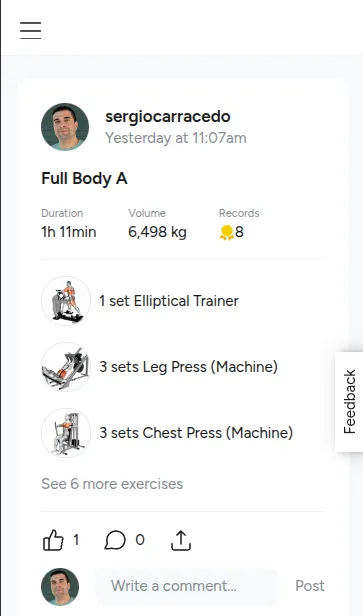 Over the next few days, I used the export feature that Hevy has to export my workouts as a CSV file, and uploaded it to the Gemini chat, always using the same conversation to keep the context. Gemini was able to analyze the data and give me feedback on how to improve my routine, and also suggest new exercises or new weights for the same exercises. I also asked Gemini to give me the names of the exercises as they appear in Hevy so I could find them in the app, and it was able to do it without any problem.
This worked well, but it still required a lot of manual work: I had to export the data from Hevy, upload it to Gemini, ask for feedback, and then take the suggestions and update my routine in Hevy.
I started to think that it would be great if I could automate this process, but I didn’t want to spend too much time on it. My first thought was to vibe-code a simple app using AI SDK, but I would still need to manage authentication with Hevy, agent context storage, config files, basic tools to fetch data, file updates, maybe a database for the context, and context compaction when it became too big, etc. I didn’t want to spend time on all of that for this simple thing. I wanted to focus on the agent logic, not on the infrastructure.
Then I remembered that OpenCode has a feature called “agents”, which allows you to create agents that you can limit to only a few tools, give a “personality” (an initial prompt that gives the agent a specific behavior), and rely on to manage and compact context and use skills.
Before going deeper into the implementation, I want to explain what is OpenCode, what are OpenCode custom agents, and some key differences with Claude Code subagents.
What is OpenCode?
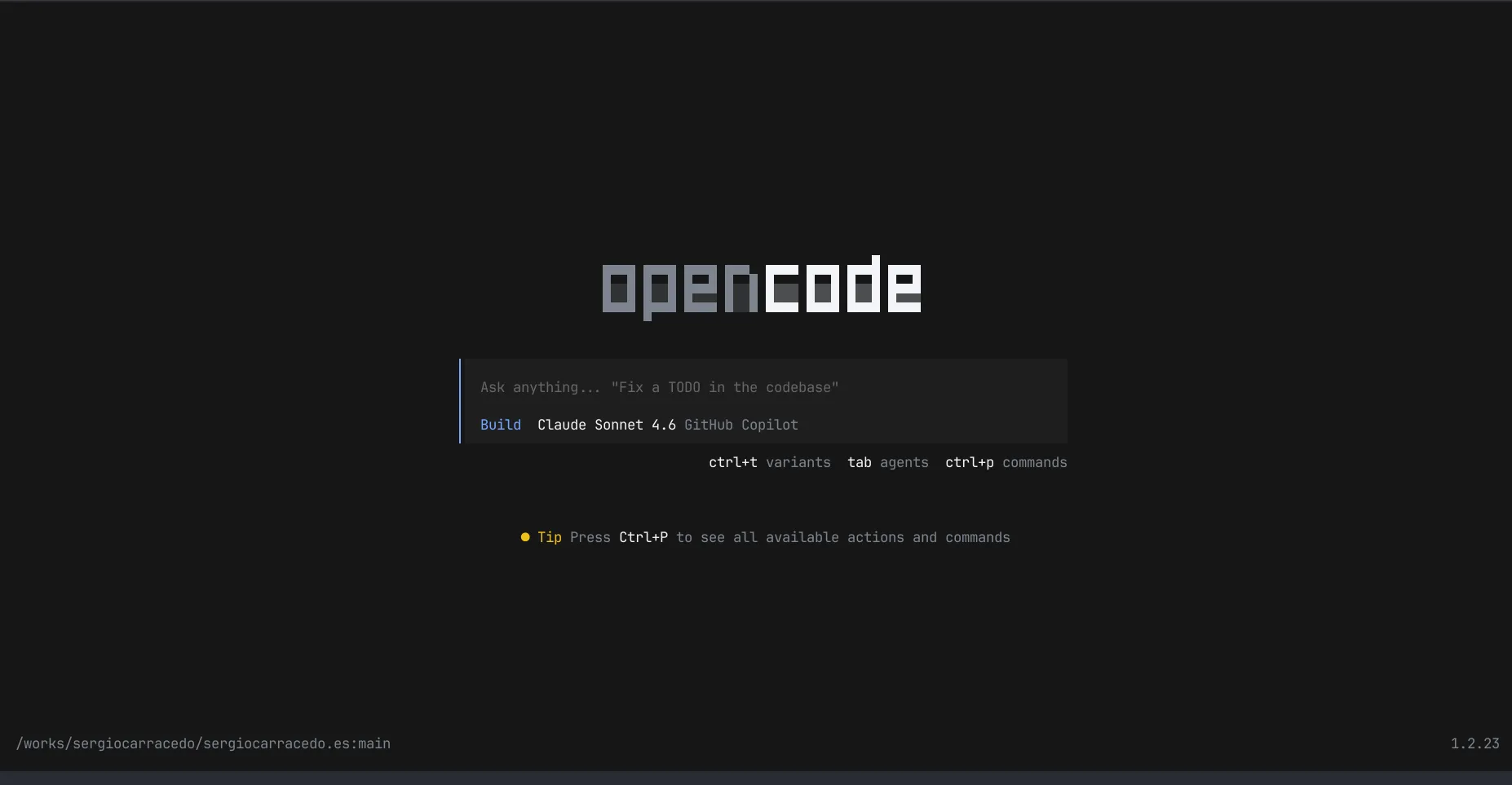
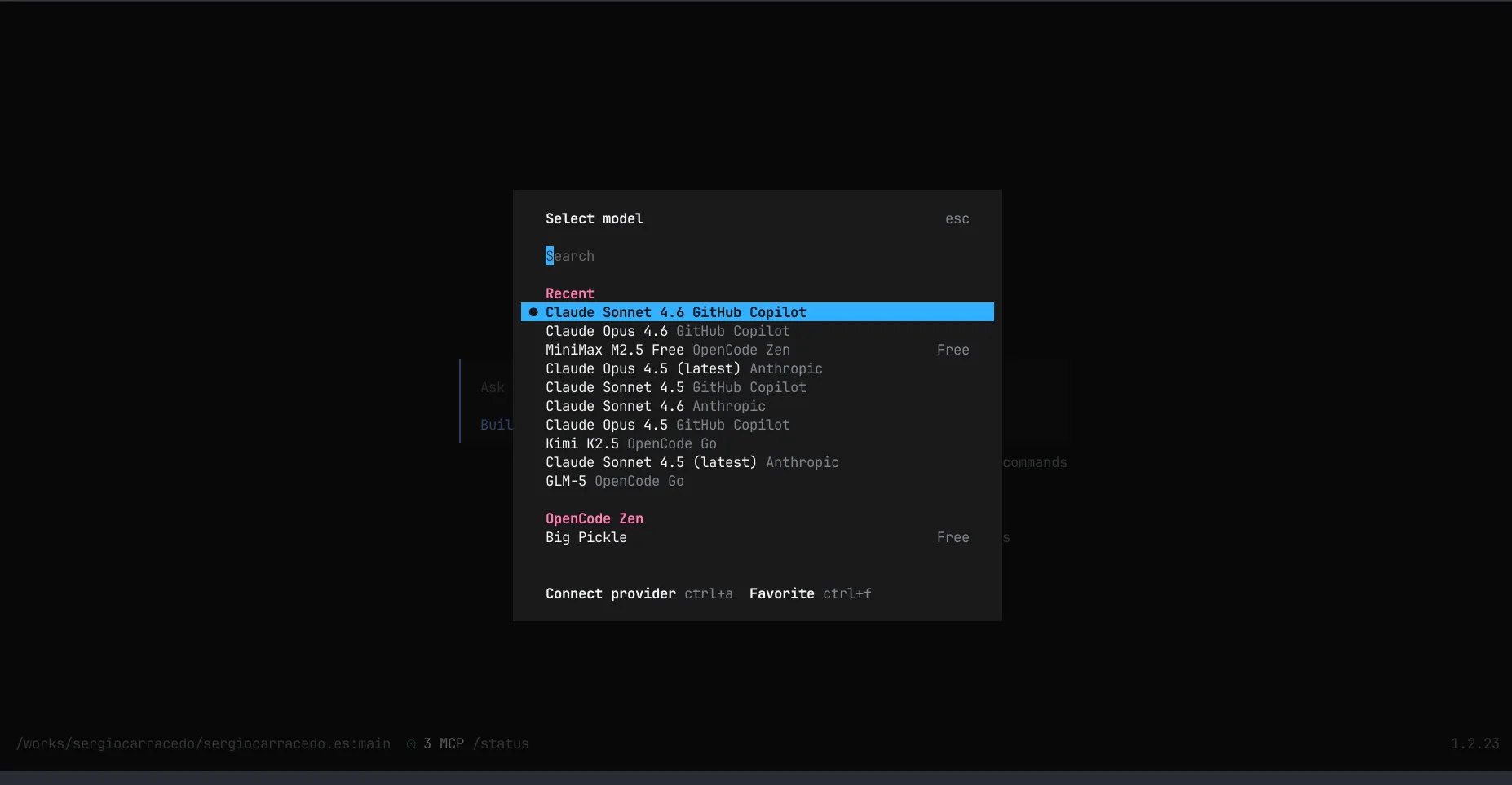
OpenCode is an “open source AI coding agent”. It can use many providers and models to execute tasks the user asks for. It is designed to be a coding agent, but it can be used for many different use cases, not only coding-related ones.
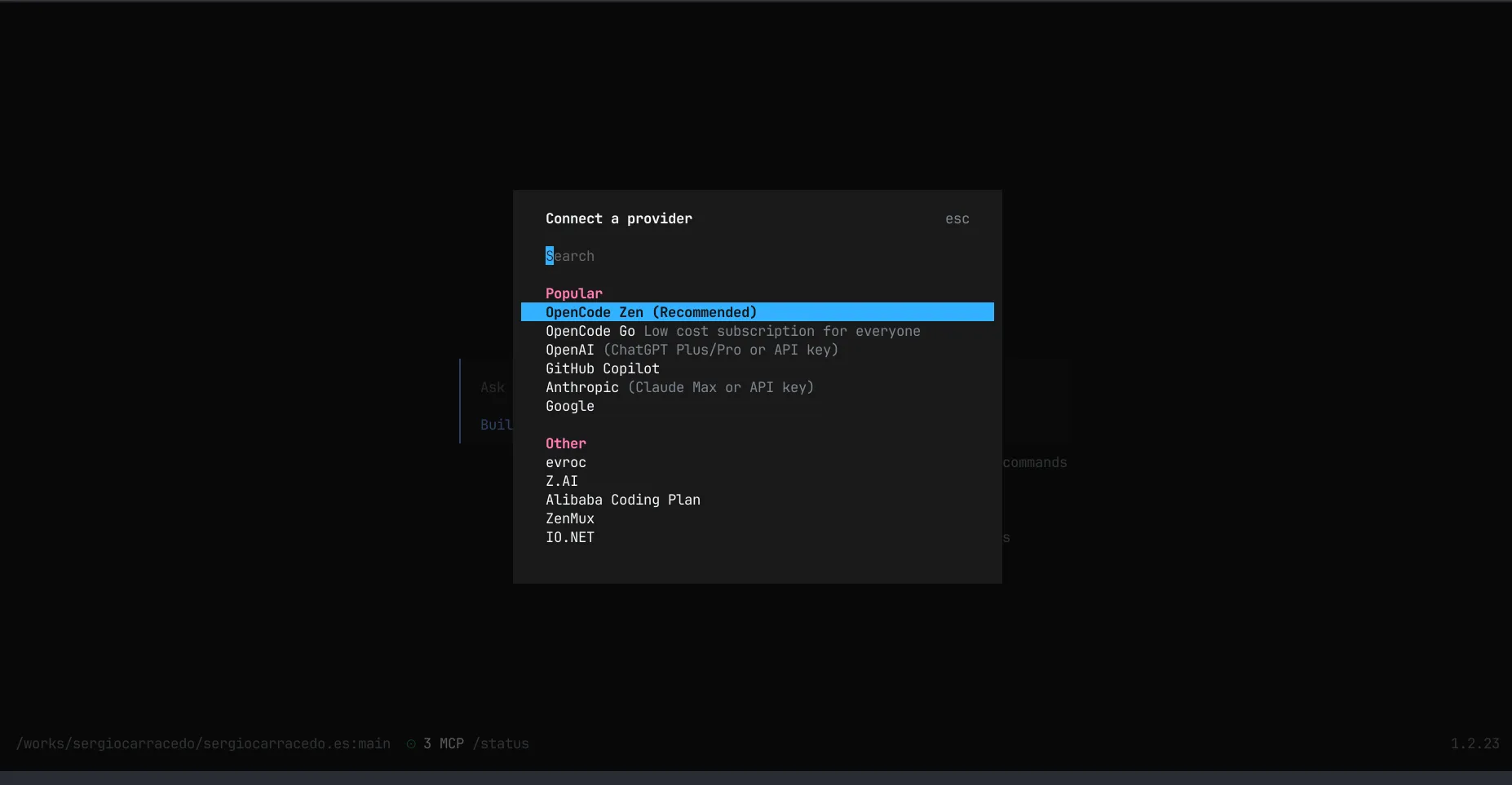
OpenCode developer company provides free models to use, so you don’t need to pay for the models, but you can also use your own API keys for providers like OpenAI, Azure, etc… and use the models you want.
What are the differences between OpenCode custom agents and Claude Code subagents?
Both are defined in a similar way: a Markdown file with frontmatter for the agent configuration (for example, the model to use, the tools it can use, the skills to load, etc.), and a Markdown body with the agent documentation.
But the main difference is that Claude Code subagents need to be invoked from a parent agent (Build or Plan) or explicitly by the user, while OpenCode custom agents can be used directly by the user, without the need for a parent agent (“Use the test-runner subagent to fix failing tests”).
OpenCode allows you to create first-level custom agents that the user can select with the Tab key, like the “Build” or “Plan” agents. They are first-level agents, so you can be sure you’re only doing what that agent is designed to do, without the risk of the main “build” or “plan” agent getting control back and doing something else, or using another subagent.
OpenCode also allows you to create a project-level config to make only a set of agents available for the user, so we can force it to only use the gym agent (in this case).
How I created the gym agent?
I created a new project, and opened OpenCode as usual, and as in other projects I started with a plan.
I wanted an agent to become a gym trainer, one that could use and analyze data from Hevy, give me feedback on how to improve my routine, and also suggest new exercises or new weights for the same exercises and change them directly by itself. I also wanted it to provide goals I could use as motivation and track progress. I also needed the agent to know about the user (me): age, weight, height, the equipment the gym has, the time I can spend in the gym, injuries, limits, previous physical conditions, etc., to give better suggestions.
I also wanted it to have memory of me, the goals, and previous conversations, without the need to use a database or something like that, just using Markdown files.
And of course I needed an API key to fetch data from Hevy and update the routine with the suggestions, but I wanted to make it easy, so the agent could ask for the API key if it wasn’t present and store it for future use, without the need to do it manually.
And this is the plan we created:
# Gym AI Trainer - Design Document

**Date**: 2026-03-07
**Status**: Implemented

## Overview

An OpenCode agent that helps users optimize their gym training by:

- Analyzing workout history from Hevy
- Providing personalized recommendations based on user profile
- Setting and tracking measurable goals
- Suggesting progressive overload and recovery strategies

## User Requirements

### Data Access

- **Primary**: Hevy API with user-provided API key
- **Fallback**: CSV export via browser-mcp when no API key available

### User Profile (`data/user.md`)

Agent collects on first interaction:

- Preferred language (asked first, used throughout)
- Personal info: name, age, gender, weight (kg), height (cm)
- Physical background: experience level, previous sports, fitness level
- Health: injuries, medical conditions, mobility limitations
- Schedule: available days, session duration, equipment access

### Goals (`data/goals.md`)

- General training goal (suggested based on profile)
- Measurable monthly goals with targets and deadlines
- Progress tracking with motivation

### Training Intelligence

- Progressive overload suggestions
- Periodization planning
- Recovery recommendations based on days since last workout
- Date-aware session planning

### Constraints

- Read-only access to Hevy data (never modify workouts)
- Full conversation logging in `data/conversation.md`

---

## Project Structure

ai-trainer/
├── .env # HEVY_API_KEY
├── .env.example # Template for .env
├── .gitignore
├── package.json
├── tsconfig.json
├── opencode.json
├── start.sh # Launch script
├── .opencode/
│ ├── agents/
│ │ └── gym-ai-trainer.md # Primary agent definition
│ └── skills/
│ ├── hevy-api/ # API-based data access
│ │ ├── SKILL.md
│ │ ├── scripts/
│ │ │ ├── fetch-workouts.ts
│ │ │ ├── fetch-routines.ts
│ │ │ ├── analyze-progress.ts
│ │ │ ├── check-goal-progress.ts
│ │ │ └── suggest-updates.ts
│ │ └── references/
│ │ └── HEVY-API.md
│ └── hevy-export/ # Browser-based CSV export
│ ├── SKILL.md
│ └── scripts/
│ └── parse-csv.ts
└── data/ # User data (gitignored)
└── .gitkeep

---

## Agent Behavior Flow

┌─────────────────────────────────────────────────────────────┐
│ SESSION START │
├─────────────────────────────────────────────────────────────┤
│ 0. Check .env for HEVY_API_KEY │
│ ├─ Missing → Ask user for key or offer CSV fallback │
│ └─ Present → Continue │
├─────────────────────────────────────────────────────────────┤
│ 1. Check data/user.md │
│ ├─ Missing → Ask preferred language FIRST │
│ │ Then collect full profile │
│ │ Save to data/user.md │
│ └─ Present → Load profile, use stored language │
├─────────────────────────────────────────────────────────────┤
│ 2. Check data/goals.md │
│ ├─ Missing → Suggest goals based on profile │
│ │ Help set measurable monthly targets │
│ │ Save to data/goals.md │
│ └─ Present → Load goals │
├─────────────────────────────────────────────────────────────┤
│ 3. Regular Session │
│ a. Run `date` for current date context │
│ b. Fetch recent workouts from Hevy │
│ c. Calculate days since last workout │
│ d. Compare performance to goals │
│ e. Recommend: rest, push, or next workout │
│ f. Log conversation to data/conversation.md │
└─────────────────────────────────────────────────────────────┘

---

## Skills

### hevy-api

Primary skill for API-based access to Hevy data.

**Scripts:**

- `fetch-workouts.ts` - Fetch recent workouts with pagination
- `fetch-routines.ts` - Fetch all user routines
- `analyze-progress.ts` - Calculate trends for specific exercise
- `check-goal-progress.ts` - Compare workouts to goals.md targets
- `suggest-updates.ts` - Generate routine modification suggestions

### hevy-export

Fallback skill for browser-based CSV export when no API key is available.

**Requirements:** browser-mcp installed

**Scripts:**

- `parse-csv.ts` - Convert Hevy CSV export to JSON format

---

## Key Features

| Feature                   | Implementation                                        |
| ------------------------- | ----------------------------------------------------- |
| User profile collection   | Agent prompts on first run, stores in `user.md`       |
| Language preference       | Asked first, used for all communication               |
| Goal setting              | Suggested based on profile, measurable with deadlines |
| Progress tracking         | Scripts analyze Hevy data vs goals                    |
| Rest/push recommendations | Based on days since last workout + performance        |
| Date awareness            | `date` command for current context                    |
| Conversation memory       | Full log in `conversation.md`                         |
| Read-only for Hevy        | Agent can only fetch, never modify workout data       |
| API key management        | Stored in `.env`, asked if missing                    |
| CSV fallback              | Browser automation when no API key                    |

---

## Usage

### Quick Start

./start.sh

Or:

npm install
npm start

### First Run

1. Agent checks for API key, asks if missing
2. Agent asks for preferred language
3. Agent collects user profile
4. Agent helps set training goals
5. Regular sessions begin

---

## Dependencies

{
"devDependencies": {
"typescript": "^5.4.0",
"tsx": "^4.7.0",
"@types/node": "^20.11.0"
},
"dependencies": {
"dotenv": "^16.4.0"
}
}
I used the plan to vibe-code the implementation, and the coding agent created the agent and the skills, as well as the scripts for the skills and the agent logic, all with a simple “vibecode” command and prompts for the implementation of each part and how to connect them together.
I also asked it to create a start script to launch the agent with a simple command and manage dependencies and project structure, to make it easy to run for non-technical users.
The result
After a few iterations, and some adjustments to the initial plan, I can share this agent with all of you: simple in architecture but really powerful.
https://github.com/sergiocarracedo/gym-ai-trainer
You only need to clone the repo, install the dependencies, and run the start script, or just ask a generic agent to visit the page and install the agent for you.
In the first run, the agent will ask you for the API key, and if you don’t have it, it will guide you to get it. It will also ask for your profile information, and then it will start analyzing your workouts and giving you feedback on how to improve your routine, and suggest new exercises or new weights for the same exercises.
Everything will be stored in the data/ folder, so you can check your profile, your goals, and the conversation history with the agent, and also back it up.
Let’s see it in action:
Conclusion
This is an example of how you can take advantage of the features and tools OpenCode provides out of the box—UI, models, providers, custom agents, skills, tools, context management, etc.—to create a powerful agent with a simple implementation.
Obviously this cannot be provided as a final app for every kind of user, but it can help you create your own custom agents for your specific needs, with minimal effort.
What use cases can you imagine for these kinds of agents?
Do you have any idea for an agent that can help you in your daily life? Let me know in the comments!
