 Sergio Carracedo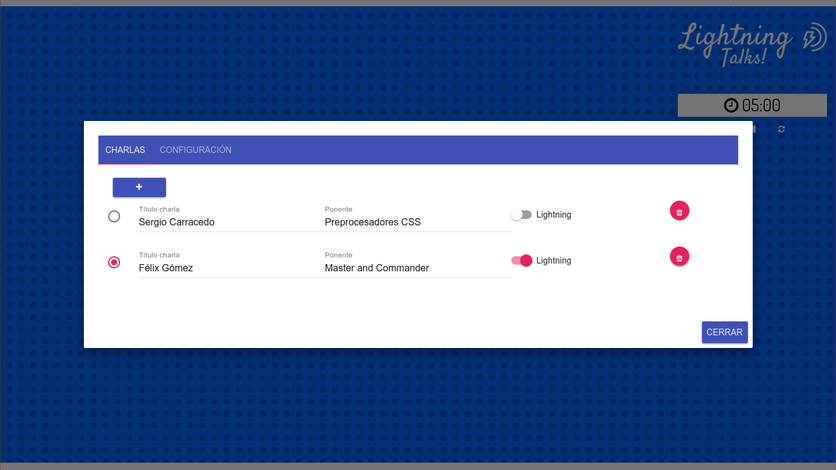
Electron.js is a framework designed to create “native” desktop applications using JavaScript, HTML, and CSS. Basically, it executes your code in node.js and renders the app in Chromium.
We must keep this detail in mind: on one hand, we have a process (main process) which is, as its name suggests, the main process of the application, and as long as it is running, our application is functioning. The Main process has no visualization, meaning it is not the main window, but one of its functions is to create the window or windows of our application, and this leads us to the second piece; the renderer process(es) (Renderer process). Each window it creates (it doesn’t have to be displayed at that moment) creates an instance of Chromium that runs in its own process and independently from the others. Each of these processes (renderer process) can only communicate with the main process; there is no possibility of direct communication between renderers.
The purpose of this post is not to go into the inner workings of electron.js, but rather, leveraging the experience we have in vue.js, to discuss the possibilities offered by joining the two frameworks in the same project.
Vue.js is JavaScript, so it works directly and without any problem in any of electron’s renderer processes, since they are nothing more than a Chromium instance, as we have said. Therefore, using both frameworks is simply trivial.
Now, we can make our lives even easier by using a boilerplate that creates the scaffolding for our future app so that we only have to start writing our code.
We can find this boilerplate at https://github.com/SimulatedGREG/electron-vue and its installation is as simple as:
# Instalar vue-cli y la plantilla de scaffold
npm install -g vue-cli
vue init simulatedgreg/electron-vue my-project
# Instalar las dependencias y ejecutar tu app
cd my-project
npm install
npm run dev
And voilà, we can start creating a desktop app.
This boilerplate also already installs vuex.
As a proof of concept, I have created an application that allows you to have a window to use as a background for OBS in recordings of user community meetings, allowing you to easily configure the list of talks and speakers, choose which community the background is configured for, and we can even have a timer for lightning talks.
https://github.com/sergiocarracedo/ug-obs-background
I recommend you take a look at it, and if you think it can be improved, pull requests are welcome.
